
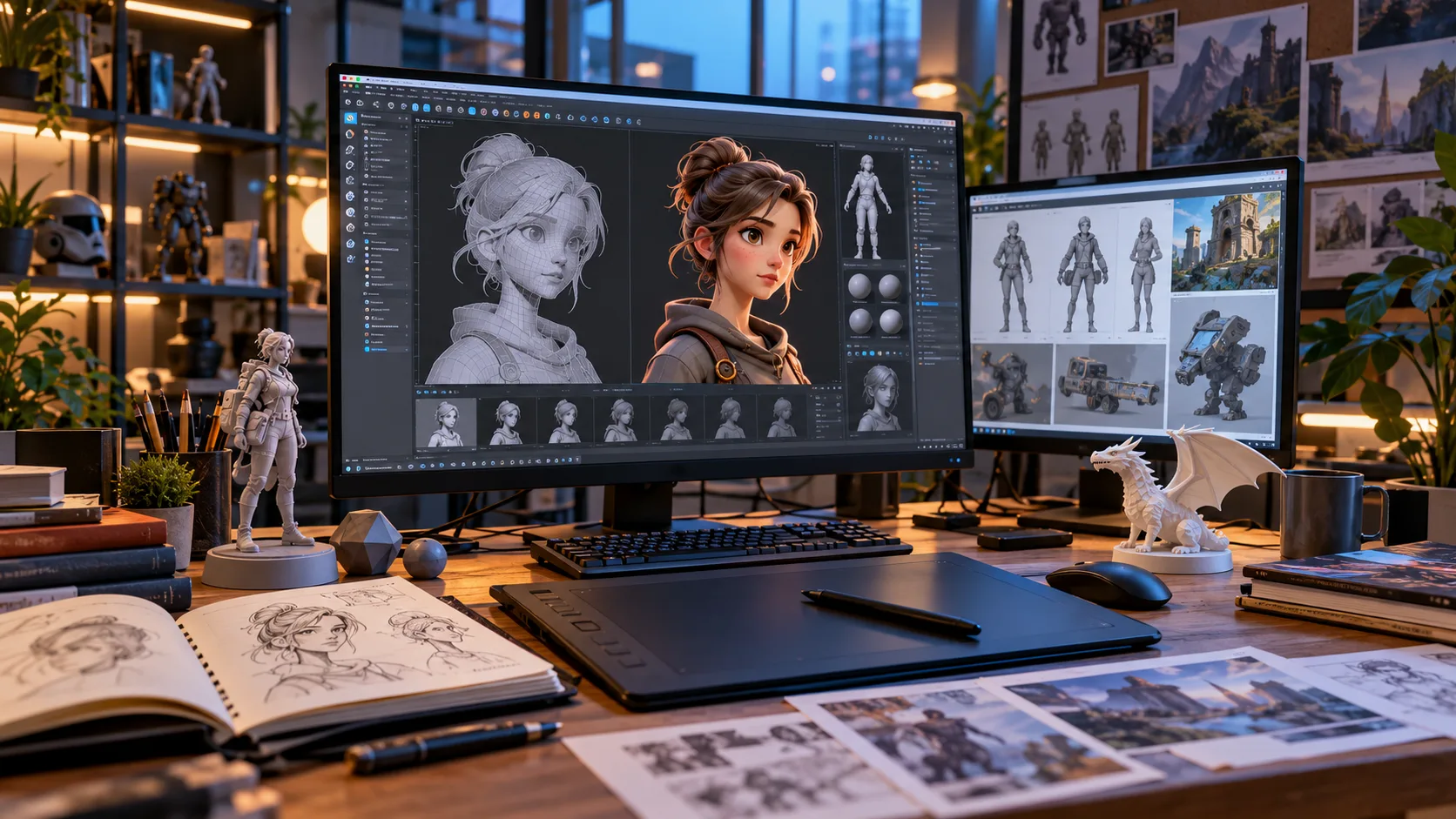
3D modeling has become an essential part of industries ranging from video games and animation to architecture, product design, engineering, advertising, and virtual reality. It allows creators to build digital three-dimensional objects that can be viewed, edited, animated, rendered, or prepared for manufacturing. For beginners, learning 3D modeling can open the door to both creative and technical career opportunities.
At first, 3D design software can appear complicated because it includes unfamiliar tools, multiple viewing angles, and specialized terminology. However, beginners do not need to master everything immediately. Learning basic concepts such as meshes, vertices, polygons, textures, lighting, and rendering gradually makes the entire process easier to understand.
Whether you want to create game characters, realistic environments, architectural models, product visualizations, or animated scenes, the same fundamental principles apply. This beginner-friendly guide explains what 3D modeling is, how it works, which tools are commonly used, essential techniques to learn, and the careers available to people who develop strong 3D design skills.
What Is 3D Modeling?
3D modeling is the process of creating a digital representation of an object or environment with three dimensions: width, height, and depth. Unlike a flat two-dimensional image, a 3D model can be viewed from multiple angles. Designers use specialized software to shape virtual objects and define their form, proportions, surfaces, and details.
Most 3D models are created using points called vertices that are connected by edges and surfaces known as faces or polygons. Together, these elements form a digital mesh that represents the object’s shape. Artists can move, add, remove, or reshape these components until the model looks the way they want.
Three-dimensional models may represent almost anything, including furniture, buildings, vehicles, machines, characters, landscapes, or imaginary creatures. Once created, models can be textured, animated, rendered into realistic images, placed inside video games, used in simulations, or even prepared for physical production through 3D printing.
How Does 3D Modeling Work?
The 3D modeling process usually starts with a basic shape known as a primitive. Common primitives include cubes, spheres, cylinders, cones, and planes. A designer modifies these shapes using tools such as scaling, extrusion, rotation, subdivision, and sculpting until the basic geometry begins to resemble the intended object.
After establishing the main form, the artist typically adds smaller details and improves the model’s topology. Topology describes how polygons and edges are arranged across the surface. Good topology is especially important for models that will be animated because well-organized geometry helps objects bend and move more naturally.
The model can then move through additional stages such as UV mapping, texturing, shading, lighting, rigging, animation, and rendering. Not every project requires every stage. For example, a 3D-printing model may prioritize accurate geometry, while an animated character needs careful topology, rigging, materials, and movement controls.
Important 3D Modeling Terms Beginners Should Know
Understanding basic terminology makes 3D modeling software much less intimidating. A vertex is a point in three-dimensional space, while an edge connects two vertices. Multiple connected edges create faces, and many faces together form a mesh, which represents the visible geometry of a three-dimensional object.
Polygons are commonly used to describe the flat surfaces forming a model. Low-poly models use fewer polygons and are often useful for games or stylized graphics, while high-poly models contain significantly more geometric detail. The required polygon count depends on the project’s visual style, performance requirements, and final use.
Other useful terms include texture, material, UV map, shader, rig, render, and viewport. Textures add surface details, materials define how surfaces react to light, and UV maps determine how images wrap around models. Learning these terms early will make tutorials and software documentation much easier to follow.
Main Types of 3D Modeling
Polygonal modeling is one of the most common techniques used in games, animation, and digital art. Artists manipulate vertices, edges, and faces to build an object’s shape. This method provides strong control over geometry and works well for everything from simple props to complex characters and realistic environments.
Sculpting is another popular approach, particularly for organic subjects such as people, creatures, and detailed surfaces. Digital sculpting works similarly to shaping clay, allowing artists to push, pull, smooth, and carve virtual material. Models can become highly detailed, although they may require additional optimization before animation or real-time use.
Other methods include NURBS modeling, procedural modeling, parametric modeling, and CAD-based techniques. These approaches are commonly used for products, engineering, architecture, and complex environments. Beginners do not need to learn every method immediately; choosing one technique related to their interests is usually a better starting point.
Best 3D Modeling Tools for Beginners
Blender is a popular starting point because it combines modeling, sculpting, animation, texturing, simulation, and rendering within one application. It is suitable for beginners while still offering advanced professional features. Because many tutorials and learning communities focus on Blender, beginners can usually find plenty of practice material for common modeling tasks.
Autodesk Maya is widely associated with professional animation, visual effects, character work, and entertainment production. It includes sophisticated modeling, rigging, animation, and rendering tools. Its extensive interface can feel challenging at first, but learning Maya can be valuable for people interested in studio-based animation or visual effects careers.
Other tools include 3ds Max, Cinema 4D, SketchUp, ZBrush, Fusion, and various CAD applications. The right software depends on what you want to create. Rather than switching constantly between programs, beginners should choose one suitable application, learn its fundamentals thoroughly, and only add additional software when a project genuinely requires it.
Essential Skills Every Beginner Should Learn
Navigation is one of the first skills every 3D artist should develop. You need to become comfortable rotating around objects, zooming, switching views, selecting components, and moving through three-dimensional space. These actions may feel awkward initially, but repeated practice gradually makes them automatic and allows you to focus more attention on design.
Next, learn fundamental modeling operations such as move, rotate, scale, extrude, inset, bevel, loop cut, and subdivision. These tools form the foundation of many modeling workflows. Practicing them on simple objects such as tables, cups, boxes, lamps, or basic buildings can help you understand how complex models are constructed from simple geometric changes.
Beginners should also develop observation skills rather than focusing only on software commands. Study proportions, silhouettes, shapes, materials, and how real objects are constructed. Strong reference observation helps you create models that look believable because successful 3D work depends on understanding form as much as understanding software.
Understanding Texturing, Materials, and UV Mapping
Modeling creates an object’s physical shape, but texturing and materials determine how its surface looks. A basic gray model can become wood, metal, fabric, glass, stone, plastic, or skin through carefully designed materials. Surface properties such as roughness, color, reflectivity, transparency, and normal detail strongly influence realism.
UV mapping is the process of flattening a three-dimensional surface into a two-dimensional layout so textures can be applied correctly. Imagine cutting open a cardboard box and laying it flat. A UV map performs a similar function digitally, helping images align with specific areas of a model.
Beginners should practice simple materials before attempting highly realistic surfaces. Start by creating objects with basic wood, metal, plastic, and painted finishes. Once you understand how texture maps and material settings interact with lighting, you can gradually explore more advanced concepts such as procedural textures and physically based rendering workflows.
Lighting and Rendering in 3D Design
Lighting plays a major role in determining whether a 3D scene looks flat, dramatic, realistic, or stylized. Even an excellent model can appear unimpressive when poorly lit. Artists use different types of digital lights to control brightness, shadows, highlights, atmosphere, depth, and the viewer’s attention.
Beginners can start with simple three-point lighting, which typically uses a key light, fill light, and back light. This setup teaches how multiple lights work together to define form. Experimenting with intensity, size, angle, and distance can help you understand how lighting changes the appearance of different materials and surfaces.
Rendering converts the completed 3D scene into a final image or animation. Rendering engines calculate lighting, shadows, reflections, materials, and other visual effects. High-quality rendering can require significant computing resources, so beginners should learn how to balance visual quality, scene complexity, resolution, and rendering time.
How to Practice 3D Modeling Effectively
The best way to improve at 3D modeling is to create small projects consistently. Avoid starting with an extremely complicated character, city, or vehicle before understanding basic tools. Instead, model everyday objects such as mugs, chairs, tables, bottles, headphones, or simple rooms to develop control over form and proportions.
Use reference images whenever possible rather than relying entirely on imagination. Viewing an object from multiple angles helps you understand its dimensions, construction, and smaller details. Reference does not reduce creativity; professional artists regularly use visual references to improve accuracy, consistency, and efficiency during the modeling process.
Complete projects instead of endlessly starting new ones. A finished small project teaches modeling, materials, lighting, rendering, and problem-solving together. After completing each model, compare it with your reference, identify weaknesses, and decide what one or two skills you want to improve during your next project.
Common Beginner Mistakes in 3D Modeling
One common mistake is adding too much detail before establishing the basic proportions of a model. Beginners may spend significant time creating small features while the overall shape remains inaccurate. Always focus first on silhouette, scale, proportions, and major forms before moving toward smaller surface details.
Another problem is using unnecessarily dense geometry. More polygons do not automatically create a better model, especially when simpler geometry can produce the same visible result. Clean topology improves editing, animation, performance, and organization, so beginners should gradually learn when additional geometry genuinely contributes to the final design.
Some learners also become overly focused on tutorials and never attempt independent projects. Tutorials are useful for learning techniques, but progress comes from applying those techniques without step-by-step instructions. After following a tutorial, try creating a different object using the same methods to test whether you truly understand the workflow.
Careers You Can Pursue With 3D Modeling Skills
3D modeling skills can lead to careers across entertainment, technology, architecture, engineering, marketing, and manufacturing. Common roles include 3D modeler, environment artist, character artist, product visualization specialist, architectural visualization artist, and motion designer. Each career emphasizes different techniques, software, and portfolio requirements.
The gaming and animation industries employ artists who create characters, props, environments, creatures, and visual effects. Architectural professionals use 3D visualization to communicate buildings and interior spaces before construction begins. Product designers and manufacturers create digital prototypes to examine shapes, dimensions, materials, and functionality before physical production.
Opportunities also exist in advertising, ecommerce, augmented reality, virtual reality, medical visualization, education, and 3D printing. Freelancers can provide modeling, rendering, product visualization, or architectural services to clients remotely. Choosing a specialization helps you determine which skills and portfolio projects deserve the most attention.
How to Build a 3D Modeling Portfolio
A strong portfolio should demonstrate what you can create rather than simply listing software you have learned. Include several polished projects that represent the type of work you want to do professionally. Someone targeting game development might show optimized props and environments, while a product artist could focus on realistic commercial renders.
Quality matters more than quantity. Five impressive models usually create a stronger impression than twenty unfinished or inconsistent pieces. Show finished renders clearly and, when useful, include wireframes, topology views, texture breakdowns, or progress images that demonstrate how you approached the modeling process.
Continue improving your portfolio as your skills develop. Remove older pieces when newer work represents your abilities more accurately. A focused portfolio that demonstrates technical skill, attention to detail, strong presentation, and a consistent specialization can help potential employers or clients understand where you could contribute.
How Long Does It Take to Learn 3D Modeling?
The time required to learn 3D modeling depends on your goals, practice schedule, previous design experience, and desired level of expertise. Many beginners can understand basic navigation and modeling tools within a few weeks. Creating polished professional-quality work typically requires considerably more practice and repeated project experience.
Consistent practice is more important than studying for extremely long sessions occasionally. Spending thirty minutes to an hour modeling most days can help build familiarity with tools and workflows. As basic actions become automatic, you can focus more deeply on artistic decisions, technical quality, and solving increasingly difficult modeling problems.
Do not measure progress only by how quickly other artists appear to improve. Some people begin with experience in drawing, photography, architecture, or design that gives them transferable skills. Concentrate on completing projects, identifying weaknesses, and gradually improving one area at a time rather than chasing unrealistic learning timelines.
Conclusion
3D modeling combines creativity, technical thinking, observation, and problem-solving to create digital objects and environments. Beginners can start with simple geometry and gradually learn more advanced areas such as topology, sculpting, UV mapping, texturing, lighting, and rendering. The process becomes much easier when skills are learned step by step.
Choosing the right software is important, but consistent practice matters far more than constantly searching for the perfect tool. Start with one suitable 3D modeling application, create simple projects, use references, and finish what you begin. Each completed project gives you practical experience that tutorials alone cannot provide.
As your abilities improve, you can specialize in areas such as games, animation, architecture, product visualization, visual effects, 3D printing, or virtual experiences. Building a focused portfolio and developing strong fundamentals can gradually turn 3D modeling from an interesting hobby into a valuable professional skill.
FAQs
Is 3D modeling difficult for beginners?
3D modeling can feel difficult initially because the software and terminology are unfamiliar. However, learning navigation, basic shapes, and essential modeling tools gradually makes the process much easier with regular practice.
What is the best 3D modeling software for beginners?
Blender is a popular beginner option because it supports modeling, sculpting, animation, texturing, and rendering in one application. Other useful choices depend on whether you are interested in animation, architecture, engineering, or product design.
Do I need drawing skills to learn 3D modeling?
No, strong drawing skills are not required to start 3D modeling. However, understanding shape, proportion, perspective, composition, and visual references can improve your ability to design accurate and visually appealing models.
Can 3D modeling become a career?
Yes. 3D modeling skills are used in gaming, animation, architecture, advertising, product design, manufacturing, visual effects, virtual reality, and 3D printing. Career opportunities depend heavily on specialization and portfolio quality.
How should a beginner practice 3D modeling?
Start with simple everyday objects and complete small projects regularly. Use reference images, practice core modeling tools, study your mistakes, and gradually increase project complexity as your confidence and technical skills improve.